AI Receptionist for Booking Appointments 24/7
How an AI receptionist answers calls and texts around the clock and books appointments straight onto your calendar, plus what it costs, how to set it up, and what to check before you buy.
An AI receptionist answers calls and texts 24/7 and books clients into your calendar. See how it works, what it costs and what to check.



Key takeaways
- An AI receptionist for booking appointments picks up your calls and texts at any hour and books the client straight onto an open slot in your calendar.
- 50% of bookings happen after hours, so a phone that's only answered while you're open misses real demand.
- Before you buy, ask whether it books during the call or only texts a booking link, and whether it follows your deposit and cancellation rules.
- Size the cost against one appointment. If one saved booking a month covers the fee, the math works.
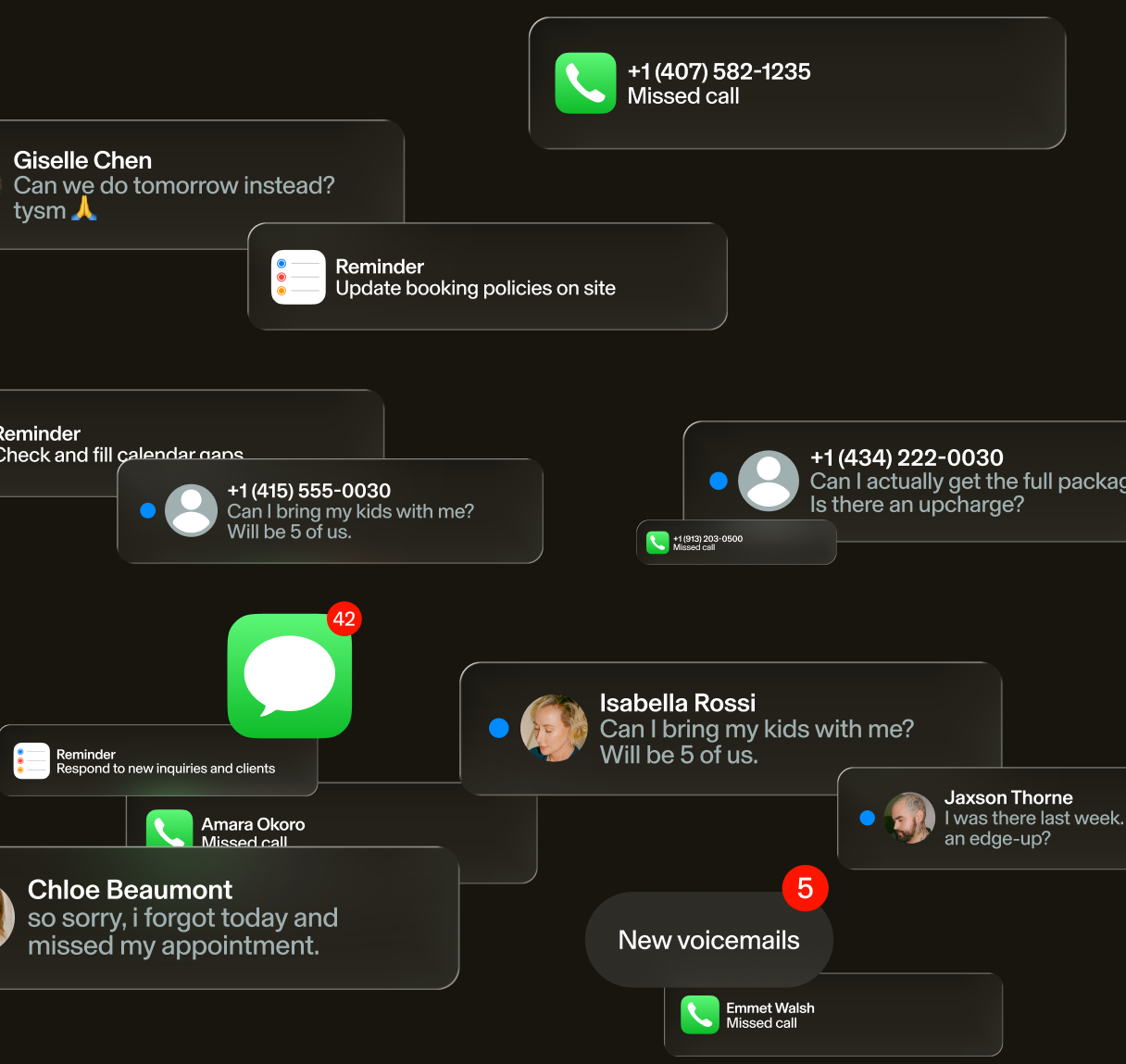
The phone rings while your front desk is checking someone out. It rings again at 9:40 p.m., after everyone's gone home. Both go to voicemail. You hear about them the next morning, if the caller left a message at all.
An AI receptionist picks up those calls and books the appointment while the client is still on the line. Reception is our product, built into GlossGenius, so we'll say where it fits and what to ask of any tool you look at.
What is an AI receptionist?
An AI receptionist answers your business line, by call or by text, whenever your team can't get to the phone. It talks with clients in plain language. It answers questions about your services, prices and policies. Then it books, moves or cancels appointments on your calendar. Anything that needs a person, like a complaint or an unusual request, goes to your team.
Think about the calls your front desk takes in a day: "Do you have anything Saturday?" "Can I move my 3 o'clock?" A lot of them are the same few questions. And they tend to come in at the worst moments, like in the middle of a checkout or after close. Each one that rings out is a missed call, and missed calls are only one leak. The free hidden revenue leaks guide walks through six common ones and how to fix them.
So how is that different from what you have now? A phone tree makes callers press 1 or 2, while an AI receptionist lets them say what they want in their own words. Voicemail takes a message and stops there. An answering service puts a person on the line, but unless they can see your calendar, the booking still waits for your team. A basic chatbot sticks to a script and can't touch your calendar. The difference that pays is simple. The call ends with a booked time instead of a promise to call back, and texts work the same way, even at 11 p.m.
Can an AI receptionist book appointments into your calendar?
When an AI receptionist is connected to your booking system, it can see your open times and offer them to the caller. Then it puts the appointment on your calendar before the call ends, so your team has nothing to re-enter. But some tools stop short of that. They take a message or text the caller a booking link, and the client has to finish the job.
That difference matters more than how the voice sounds. A link means the client has to open it, pick a time and fill out the form on their own. Maybe they're doing something else at the time. A booking made on the call is done when they hang up.
Booking also means following your rules. That covers service length and buffer time, plus who does which service. Deposits and card on file count, too. So an AI that doesn't know your rules books appointments your team has to fix the next morning.
Some clients only book with one person. Say a regular calls for Thursday and asks for the team member she always sees. A connected AI checks that person's schedule and offers their next free time. It reads the same live calendar your team does, so it can't take a slot that's already gone. That's how a regular stays a regular.
Reception, built into GlossGenius, books straight onto your GlossGenius calendar in real time and collects a deposit or card on file when your policy calls for one. If the time a client wants is taken, it offers the next opening, checks whether another team member is free, or adds the client to your waitlist.
Do clients really book after hours?
Say a client gets the kids to bed, sits down, and finally has a minute to book. It's 9 p.m., and you locked up hours ago. That's a normal time to book. Half of all bookings happen after hours. So a phone that's only answered while you're open misses real demand.
Evening bookings pay a bit better, too. Bookings between 6 and 10 p.m. average $108, against $103 during the day (GlossGenius Study).
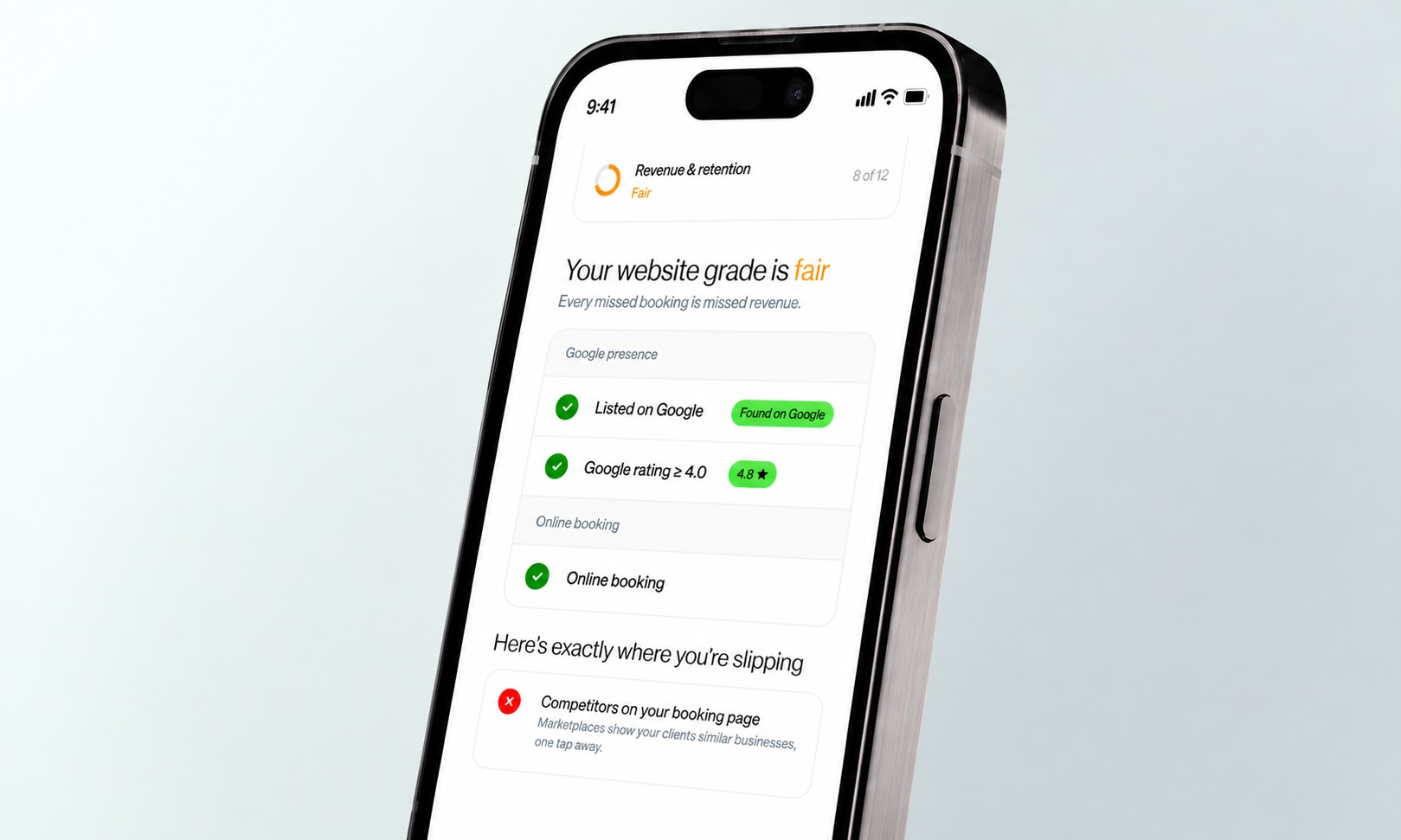
Before you add any AI, make sure the places clients find you at night lead straight to your calendar. Check your Google Business Profile link, your Instagram bio and your voicemail greeting. Do it once per location. For a quick read on how easy you are to find and book online, try the free Business Health Grader.
But online booking only catches some of those late-night clients. A booking page can't answer a client with a question ("Do I need a consultation first?" "Is there parking?"). So they call, hit voicemail, and may not try again.
Will an AI receptionist replace your front desk?
Your front desk does the part clients remember. They greet a regular by name. They calm a nervous first-timer. But they can't answer a second line while they do it, and they go home at night.
A full-time receptionist covers about 40 of the 168 hours in a week. The Bureau of Labor Statistics puts median pay at $38,010 a year, before payroll taxes and benefits. An AI receptionist covers the other 128. It also takes the calls that ring while your team is helping someone in person. That's how the second line gets answered and tomorrow's opening gets filled at 10 p.m.
What about clients who don't want to talk to AI? Some won't. A good setup gives them a way to reach a person or leave a message. At 10 p.m., though, the choice is usually between an AI that books them and a voicemail that doesn't.
Then there's the second, third or tenth location. Each one has its own phones, hours and booking rules, and its own after-hours gap. An AI receptionist can cover all of them without adding a shift, as long as it keeps each location's calendar separate. Reception can also look for open times across your locations when a client is flexible.
[CTA_MODULE]
How much does an AI receptionist cost, and is it worth it?
Standalone AI receptionists use a few pricing models. Some charge a flat monthly fee. Others charge a per-minute rate or a price per call. Many add overage fees past an included amount.
To see whether one pays for itself, multiply what one appointment is worth by the after-hours calls and messages you get in a week. Then multiply by the share you'd book.
Annual value = appointment value × weekly after-hours inquiries × booking rate × 52
Say one appointment is worth $100. You get 10 after-hours inquiries a week and book 20% of them. That's $100 × 10 × 0.20 × 52 = $10,400 a year (illustrative inputs, not a benchmark). Use conservative numbers and run it per location. And that only counts the first visit. A new client who comes back is worth far more than one appointment.
Then look at what your current system already costs. The free revenue and fee calculator shows what you pay in subscription fees, processing rates and growth tools.
Reception is a $50 monthly add-on to GlossGenius. That's $600 a year. So in the example above, one booked appointment a month covers it.
GlossGenius businesses that hand the most work to Reception see 35% more calls answered. That means fewer calls ending in voicemail. They also see 15% more revenue per month (GlossGenius Study).
Comparing tools? Our guide to the best AI receptionists lines up six options by price, booking and setup, with the questions to ask each vendor before you sign.
How do you set up an AI receptionist?
Say a service length in your system is out of date, or your front desk works around a deposit rule from memory. The AI won't know. It books by whatever your booking system says, so that's where setup starts. With a receptionist built into your booking system, the rest takes a few minutes. With one you connect yourself, it takes longer. Work through it in this order:
Step 1: Clean up your booking rules. Check service lengths, prices and team schedules. Then check deposits and your cancellation policy. Fix anything your front desk usually works around from memory.
Step 2: Connect your business number.
Step 3: Decide which calls it takes. You can send only after-hours calls, or forward any call that rings out. Start with the hours you miss the most.
Step 4: Call after close and book something. Ask what a new client would ask, and ask for a time that's already taken. Then check the booking on your calendar.
Step 5: Look over the first week. See what it booked and what it passed to your team, and tighten any policy that tripped it up.
With Reception, Step 2 needs no training. It already knows your services and pricing, your staff and your calendar from GlossGenius. Then, at the end of week one, count how many after-hours calls ended in a booking instead of a voicemail.
Frequently asked questions
What's the difference between an AI receptionist, an AI front desk, and an AI concierge?
Vendors use all three names for software that answers your calls and texts and handles front-desk work like booking. The label doesn't tell you what a tool can do. So ask each one the same things: does it book during the call, follow your policies, and hand off to your team when it should?
Can an AI receptionist book with a specific team member?
When it's connected to your calendar, an AI receptionist can ask who the client wants, check that team member's schedule, and book them directly. If that person is booked, a good one offers their next opening, another team member, or a spot on your waitlist. A tool that only sends a link leaves the client to sort that out alone.
Does an AI receptionist know my service menu and pricing?
An AI receptionist knows your services, prices and policies only as well as the system it reads from. A standalone tool needs them entered or synced, and updated every time you change a price. One built into your booking system, like Reception in GlossGenius, reads them directly.
What happens when a caller asks something the AI doesn't know?
When a question falls outside what it knows, like a complaint or an unusual request, a good AI receptionist takes a message, transfers the call, or flags it. Ask whether it passes along what the caller already said, so your team doesn't start from zero. A tool that guesses costs you the booking anyway.
Can an AI receptionist book appointments 24/7?
Once it's connected to your booking system, it books at 2 a.m. the same way it does at 2 p.m., weekends and holidays included. Check that it books during the call instead of texting a link.
Do AI receptionists have to say they're AI?
Maine requires clear notice when AI could lead a consumer to think they're talking to a person. Other states are adding their own rules. Laws are changing, so check each state where you operate.
Your front desk can't answer two phones at once. And no one's there at 10 p.m. Reception, built into GlossGenius, picks up those calls and texts and books the appointment before the client looks elsewhere. Whether you lead a team or you're an individual business owner, you can book a demo to hear Reception answer a call, or start a free trial and set it up tonight.
.png)
Join Our Genius Newsletter
Get the latest articles, inspiring how-to’s, and educational workbooks delivered to your inbox.
AI Receptionist for Booking Appointments 24/7
How an AI receptionist answers calls and texts around the clock and books appointments straight onto your calendar, plus what it costs, how to set it up, and what to check before you buy.
Key takeaways
- An AI receptionist for booking appointments picks up your calls and texts at any hour and books the client straight onto an open slot in your calendar.
- 50% of bookings happen after hours, so a phone that's only answered while you're open misses real demand.
- Before you buy, ask whether it books during the call or only texts a booking link, and whether it follows your deposit and cancellation rules.
- Size the cost against one appointment. If one saved booking a month covers the fee, the math works.
The phone rings while your front desk is checking someone out. It rings again at 9:40 p.m., after everyone's gone home. Both go to voicemail. You hear about them the next morning, if the caller left a message at all.
An AI receptionist picks up those calls and books the appointment while the client is still on the line. Reception is our product, built into GlossGenius, so we'll say where it fits and what to ask of any tool you look at.
What is an AI receptionist?
An AI receptionist answers your business line, by call or by text, whenever your team can't get to the phone. It talks with clients in plain language. It answers questions about your services, prices and policies. Then it books, moves or cancels appointments on your calendar. Anything that needs a person, like a complaint or an unusual request, goes to your team.
Think about the calls your front desk takes in a day: "Do you have anything Saturday?" "Can I move my 3 o'clock?" A lot of them are the same few questions. And they tend to come in at the worst moments, like in the middle of a checkout or after close. Each one that rings out is a missed call, and missed calls are only one leak. The free hidden revenue leaks guide walks through six common ones and how to fix them.
So how is that different from what you have now? A phone tree makes callers press 1 or 2, while an AI receptionist lets them say what they want in their own words. Voicemail takes a message and stops there. An answering service puts a person on the line, but unless they can see your calendar, the booking still waits for your team. A basic chatbot sticks to a script and can't touch your calendar. The difference that pays is simple. The call ends with a booked time instead of a promise to call back, and texts work the same way, even at 11 p.m.
Can an AI receptionist book appointments into your calendar?
When an AI receptionist is connected to your booking system, it can see your open times and offer them to the caller. Then it puts the appointment on your calendar before the call ends, so your team has nothing to re-enter. But some tools stop short of that. They take a message or text the caller a booking link, and the client has to finish the job.
That difference matters more than how the voice sounds. A link means the client has to open it, pick a time and fill out the form on their own. Maybe they're doing something else at the time. A booking made on the call is done when they hang up.
Booking also means following your rules. That covers service length and buffer time, plus who does which service. Deposits and card on file count, too. So an AI that doesn't know your rules books appointments your team has to fix the next morning.
Some clients only book with one person. Say a regular calls for Thursday and asks for the team member she always sees. A connected AI checks that person's schedule and offers their next free time. It reads the same live calendar your team does, so it can't take a slot that's already gone. That's how a regular stays a regular.
Reception, built into GlossGenius, books straight onto your GlossGenius calendar in real time and collects a deposit or card on file when your policy calls for one. If the time a client wants is taken, it offers the next opening, checks whether another team member is free, or adds the client to your waitlist.
Do clients really book after hours?
Say a client gets the kids to bed, sits down, and finally has a minute to book. It's 9 p.m., and you locked up hours ago. That's a normal time to book. Half of all bookings happen after hours. So a phone that's only answered while you're open misses real demand.
Evening bookings pay a bit better, too. Bookings between 6 and 10 p.m. average $108, against $103 during the day (GlossGenius Study).
Before you add any AI, make sure the places clients find you at night lead straight to your calendar. Check your Google Business Profile link, your Instagram bio and your voicemail greeting. Do it once per location. For a quick read on how easy you are to find and book online, try the free Business Health Grader.
But online booking only catches some of those late-night clients. A booking page can't answer a client with a question ("Do I need a consultation first?" "Is there parking?"). So they call, hit voicemail, and may not try again.
Will an AI receptionist replace your front desk?
Your front desk does the part clients remember. They greet a regular by name. They calm a nervous first-timer. But they can't answer a second line while they do it, and they go home at night.
A full-time receptionist covers about 40 of the 168 hours in a week. The Bureau of Labor Statistics puts median pay at $38,010 a year, before payroll taxes and benefits. An AI receptionist covers the other 128. It also takes the calls that ring while your team is helping someone in person. That's how the second line gets answered and tomorrow's opening gets filled at 10 p.m.
What about clients who don't want to talk to AI? Some won't. A good setup gives them a way to reach a person or leave a message. At 10 p.m., though, the choice is usually between an AI that books them and a voicemail that doesn't.
Then there's the second, third or tenth location. Each one has its own phones, hours and booking rules, and its own after-hours gap. An AI receptionist can cover all of them without adding a shift, as long as it keeps each location's calendar separate. Reception can also look for open times across your locations when a client is flexible.
[CTA_MODULE]
How much does an AI receptionist cost, and is it worth it?
Standalone AI receptionists use a few pricing models. Some charge a flat monthly fee. Others charge a per-minute rate or a price per call. Many add overage fees past an included amount.
To see whether one pays for itself, multiply what one appointment is worth by the after-hours calls and messages you get in a week. Then multiply by the share you'd book.
Annual value = appointment value × weekly after-hours inquiries × booking rate × 52
Say one appointment is worth $100. You get 10 after-hours inquiries a week and book 20% of them. That's $100 × 10 × 0.20 × 52 = $10,400 a year (illustrative inputs, not a benchmark). Use conservative numbers and run it per location. And that only counts the first visit. A new client who comes back is worth far more than one appointment.
Then look at what your current system already costs. The free revenue and fee calculator shows what you pay in subscription fees, processing rates and growth tools.
Reception is a $50 monthly add-on to GlossGenius. That's $600 a year. So in the example above, one booked appointment a month covers it.
GlossGenius businesses that hand the most work to Reception see 35% more calls answered. That means fewer calls ending in voicemail. They also see 15% more revenue per month (GlossGenius Study).
Comparing tools? Our guide to the best AI receptionists lines up six options by price, booking and setup, with the questions to ask each vendor before you sign.
How do you set up an AI receptionist?
Say a service length in your system is out of date, or your front desk works around a deposit rule from memory. The AI won't know. It books by whatever your booking system says, so that's where setup starts. With a receptionist built into your booking system, the rest takes a few minutes. With one you connect yourself, it takes longer. Work through it in this order:
Step 1: Clean up your booking rules. Check service lengths, prices and team schedules. Then check deposits and your cancellation policy. Fix anything your front desk usually works around from memory.
Step 2: Connect your business number.
Step 3: Decide which calls it takes. You can send only after-hours calls, or forward any call that rings out. Start with the hours you miss the most.
Step 4: Call after close and book something. Ask what a new client would ask, and ask for a time that's already taken. Then check the booking on your calendar.
Step 5: Look over the first week. See what it booked and what it passed to your team, and tighten any policy that tripped it up.
With Reception, Step 2 needs no training. It already knows your services and pricing, your staff and your calendar from GlossGenius. Then, at the end of week one, count how many after-hours calls ended in a booking instead of a voicemail.
Frequently asked questions
What's the difference between an AI receptionist, an AI front desk, and an AI concierge?
Vendors use all three names for software that answers your calls and texts and handles front-desk work like booking. The label doesn't tell you what a tool can do. So ask each one the same things: does it book during the call, follow your policies, and hand off to your team when it should?
Can an AI receptionist book with a specific team member?
When it's connected to your calendar, an AI receptionist can ask who the client wants, check that team member's schedule, and book them directly. If that person is booked, a good one offers their next opening, another team member, or a spot on your waitlist. A tool that only sends a link leaves the client to sort that out alone.
Does an AI receptionist know my service menu and pricing?
An AI receptionist knows your services, prices and policies only as well as the system it reads from. A standalone tool needs them entered or synced, and updated every time you change a price. One built into your booking system, like Reception in GlossGenius, reads them directly.
What happens when a caller asks something the AI doesn't know?
When a question falls outside what it knows, like a complaint or an unusual request, a good AI receptionist takes a message, transfers the call, or flags it. Ask whether it passes along what the caller already said, so your team doesn't start from zero. A tool that guesses costs you the booking anyway.
Can an AI receptionist book appointments 24/7?
Once it's connected to your booking system, it books at 2 a.m. the same way it does at 2 p.m., weekends and holidays included. Check that it books during the call instead of texting a link.
Do AI receptionists have to say they're AI?
Maine requires clear notice when AI could lead a consumer to think they're talking to a person. Other states are adding their own rules. Laws are changing, so check each state where you operate.
Your front desk can't answer two phones at once. And no one's there at 10 p.m. Reception, built into GlossGenius, picks up those calls and texts and books the appointment before the client looks elsewhere. Whether you lead a team or you're an individual business owner, you can book a demo to hear Reception answer a call, or start a free trial and set it up tonight.
Download Now
Join Our Genius Newsletter
Get the latest articles, inspiring how-to’s, and educational workbooks delivered to your inbox.

.jpeg)